
@mention other agents too, but each mention is a single-turn consult and you are the one who keeps the conversation going. A moderator acts as your fiduciary in that job, wrangling the agents to work together across as many turns as the question needs. For a side-by-side overview of both approaches, see Agent Collaboration.
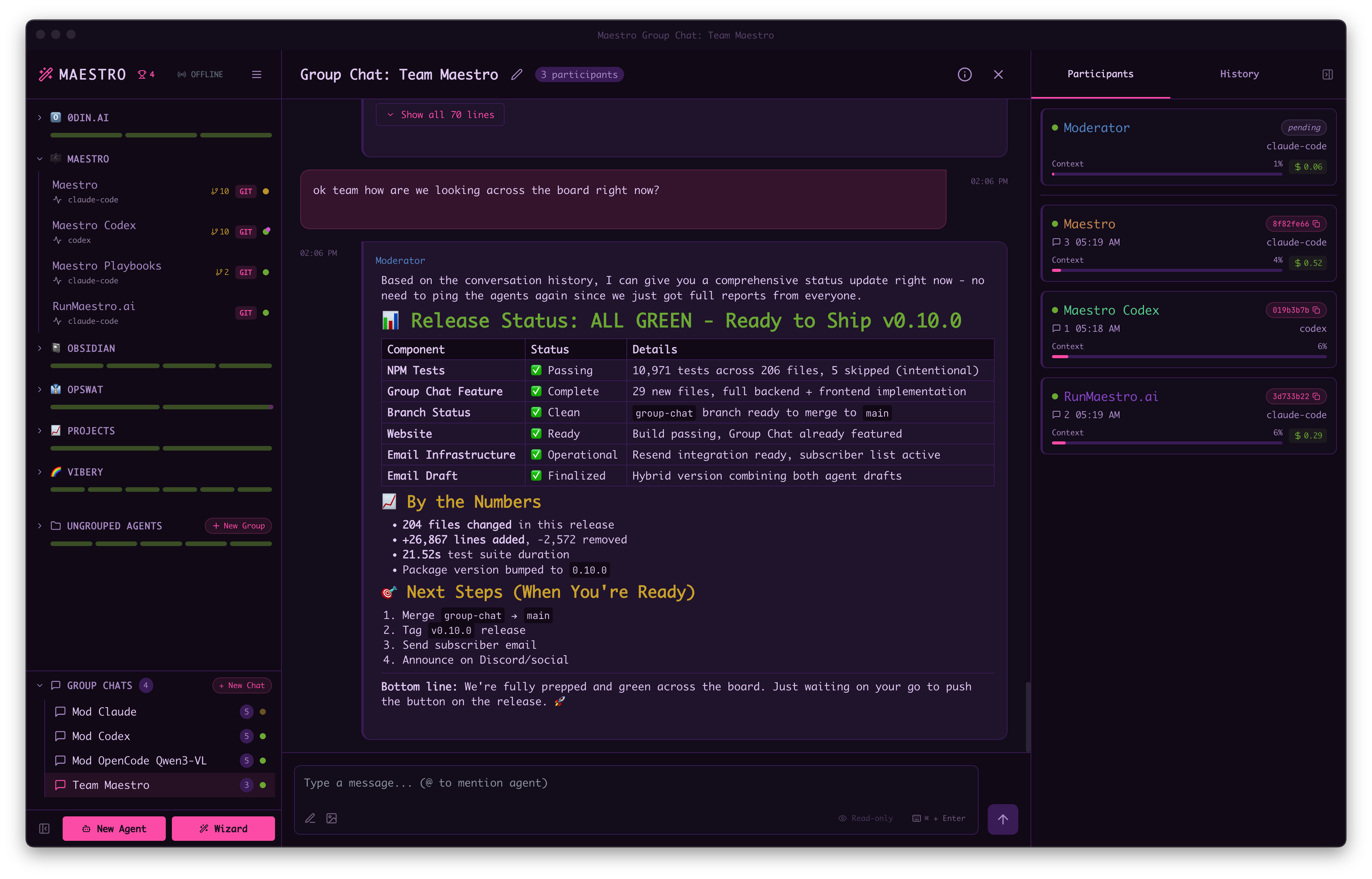
When to Use Group Chat
- Cross-project questions: “How does the frontend authentication relate to the backend API?”
- Architecture discussions: Get perspectives from agents with different codebase contexts
- Comparative analysis: “Compare the testing approach in these three repositories”
- Knowledge synthesis: Combine expertise from specialized agents
- Cross-machine collaboration: Coordinate agents running on different machines via SSH Remote Execution
How It Works
- Create a Group Chat - Use keyboard shortcut
Opt+Cmd+G/Alt+Ctrl+G, click ”+ New Chat” in the Group Chats section of the sidebar, or use Quick Actions (Cmd+K/Ctrl+K) - Select a moderator - Choose which AI agent (Claude Code, OpenCode, or Codex) will coordinate the conversation
- @mention agents - In your message, @mention any Maestro session (e.g.,
@Frontend,@Backend). Agents are automatically added as participants when mentioned. - Send your question - The moderator receives it first and decides how to proceed
- Moderator coordinates - Routes to relevant agents via @mentions, can make multiple rounds
- Agents respond - Each agent works in their own project context
- Moderator synthesizes - Combines responses into a coherent answer
The Moderator’s Role
The moderator is an AI that controls the conversation flow:- Direct answers: For simple questions, the moderator responds directly
- Delegation: For complex questions, @mentions the appropriate agents
- Follow-up: If agent responses are incomplete, keeps asking until satisfied
- Synthesis: Combines multiple agent perspectives into a final answer
Example Conversation
Remote Agents in Group Chat
Group Chat works seamlessly with SSH Remote Execution. You can mix local and remote agents in the same conversation: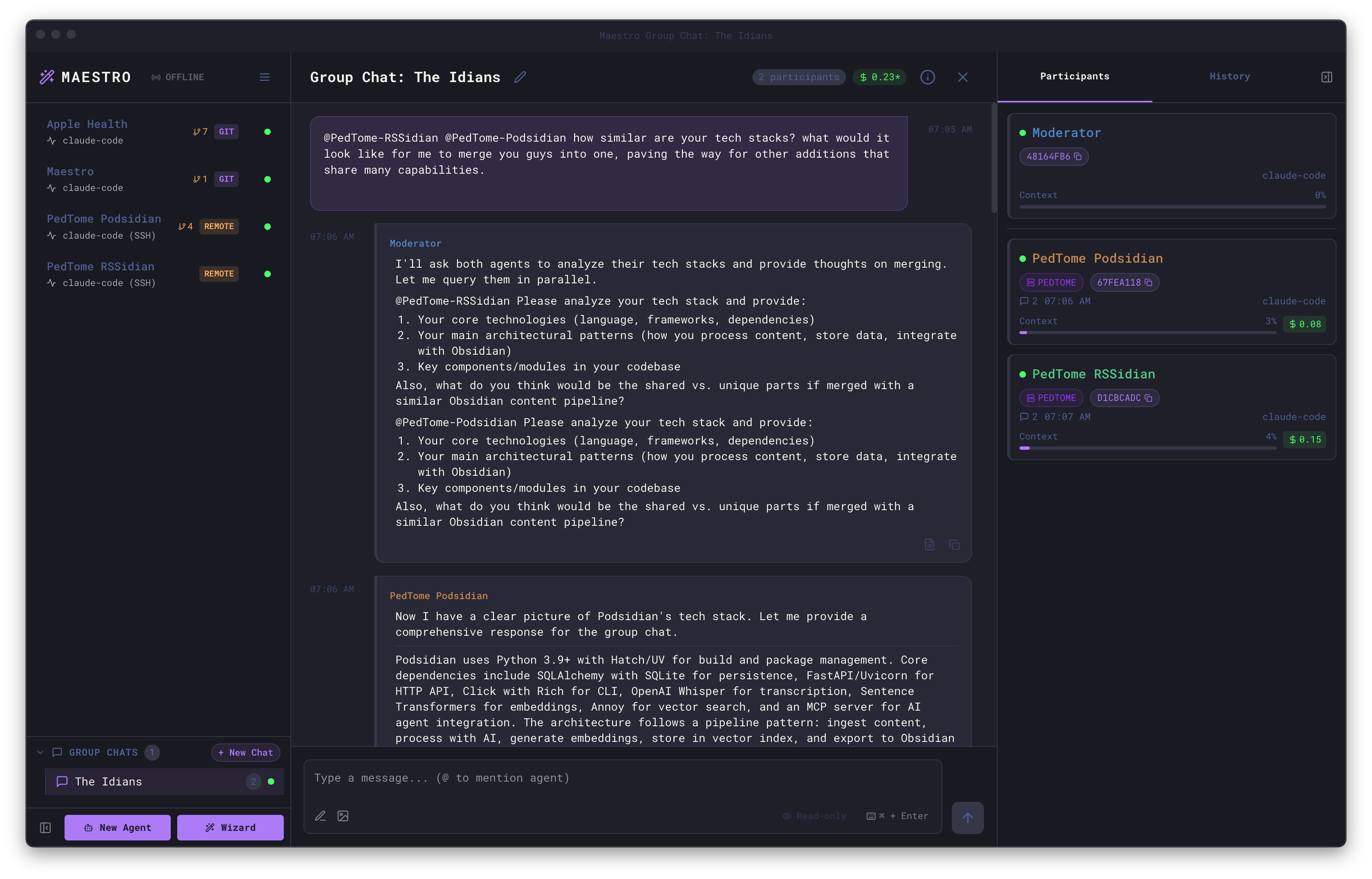
- Local moderator with remote participants
- Remote moderator with local participants
- Any mix of local and remote agents
- Agents spread across multiple SSH hosts
- Compare implementations across development and production environments
- Get perspectives from agents with access to different servers
- Coordinate changes that span multiple machines
- Synthesize information from agents with different tool installations
Agent Availability
An agent brought into a group chat runs as its own process, in that agent’s own working directory. If you are already talking to that agent in its own tab, two processes end up editing the same files at once. Only work with agents that are free controls what happens then. It is on by default, and you set it when you create a group chat (or later, through Edit):
When an agent is busy, the chat shows a line like:
Tips for Effective Group Chats
- Name agents descriptively - Agent names appear in the chat, so “Frontend-React” is clearer than “Agent1”
- Be specific in questions - The more context you provide, the better the moderator can route
- @mention explicitly - You can direct questions to specific agents: “What does @Backend think?”
- Let the moderator work - It may take multiple rounds for complex questions
- Mix local and remote - Combine agents across machines for maximum coverage
- Hyphenated names for spaces - If your session name has spaces, use hyphens in @mentions (e.g.,
@My-Projectfor “My Project”)
Managing Group Chats
Right-click on a group chat in the sidebar to access the context menu:Input Features
The Group Chat input supports the same features as direct agent conversations:- Read-only mode - Toggle to prevent agents from modifying files (participants receive the mode flag)
- Image attachments - Attach images to include in your message
- Prompt Composer - Open the full prompt composer with
Cmd+Shift+P/Ctrl+Shift+P - Enter/Cmd+Enter toggle - Switch between send behaviors
- Message queuing - Messages are queued if the moderator or agents are busy
The message queue
A message you send while the chat is busy waits in the queue until the moderator is free. The queue belongs to the chat, not to the window you typed in, so:- It is the same queue on every device. Something queued from your phone shows up on the desktop and is sent from there.
- It survives a reload, a closed browser tab, and quitting the app. A queue left over from a previous session comes back paused, so relaunching Maestro does not start a moderator just to flush it.
- Stop All pauses it. Nothing queued is sent until you press Resume, so stopping the room does not immediately restart it.
- If a message cannot be sent, it is kept, not dropped. The chat pauses and says why, and the same failing send is not retried on its own. Fix the cause and press Resume.