
- Automatic Security — Web server runs on a random port with an auto-generated security token (UUID) embedded in the URL
- QR Code Access — Scan a QR code to connect instantly from your phone
- Live Sessions — Sessions marked as “live” become accessible through the web interface (protected by the security token)
- Remote Tunneling — Access Maestro from anywhere via Cloudflare tunnel (requires
cloudflaredCLI)
Mobile Web Interface
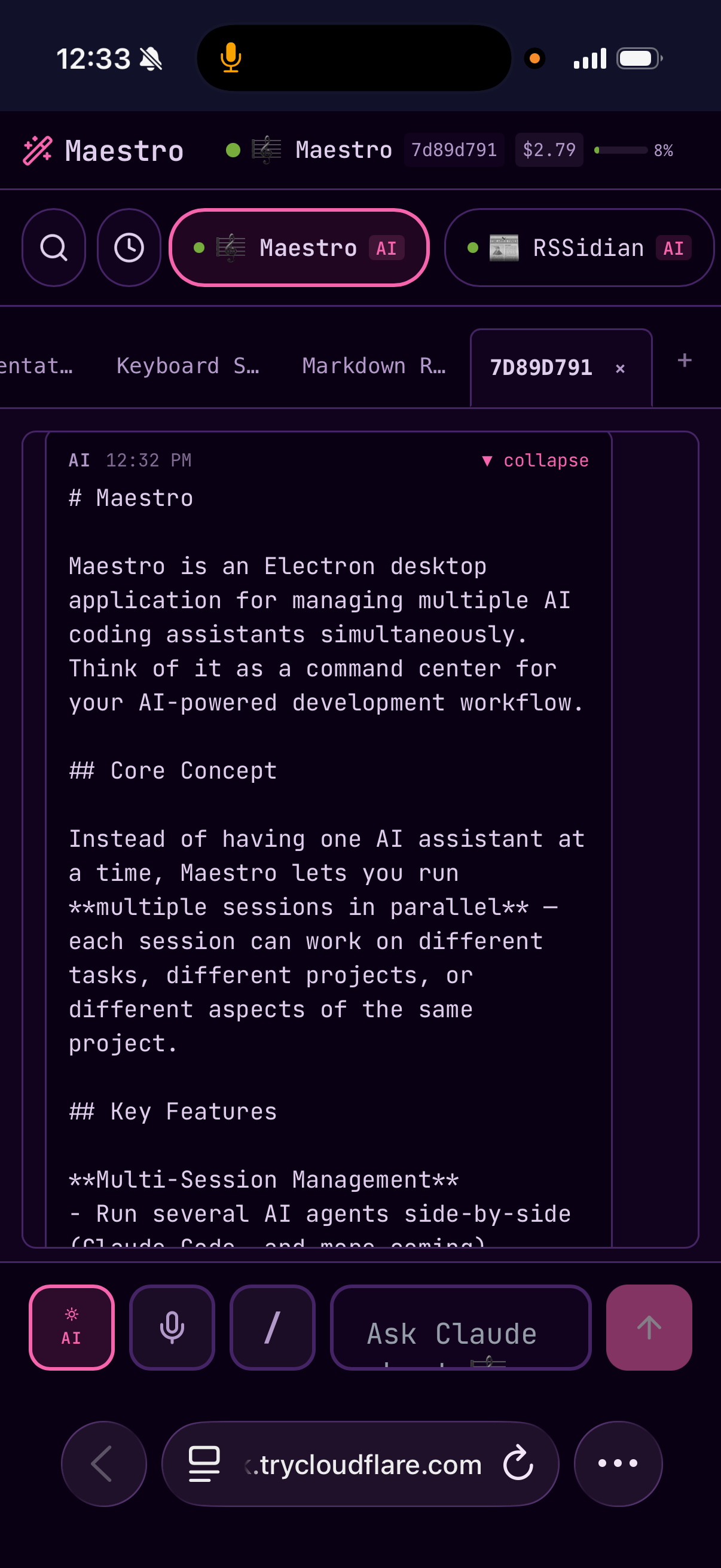
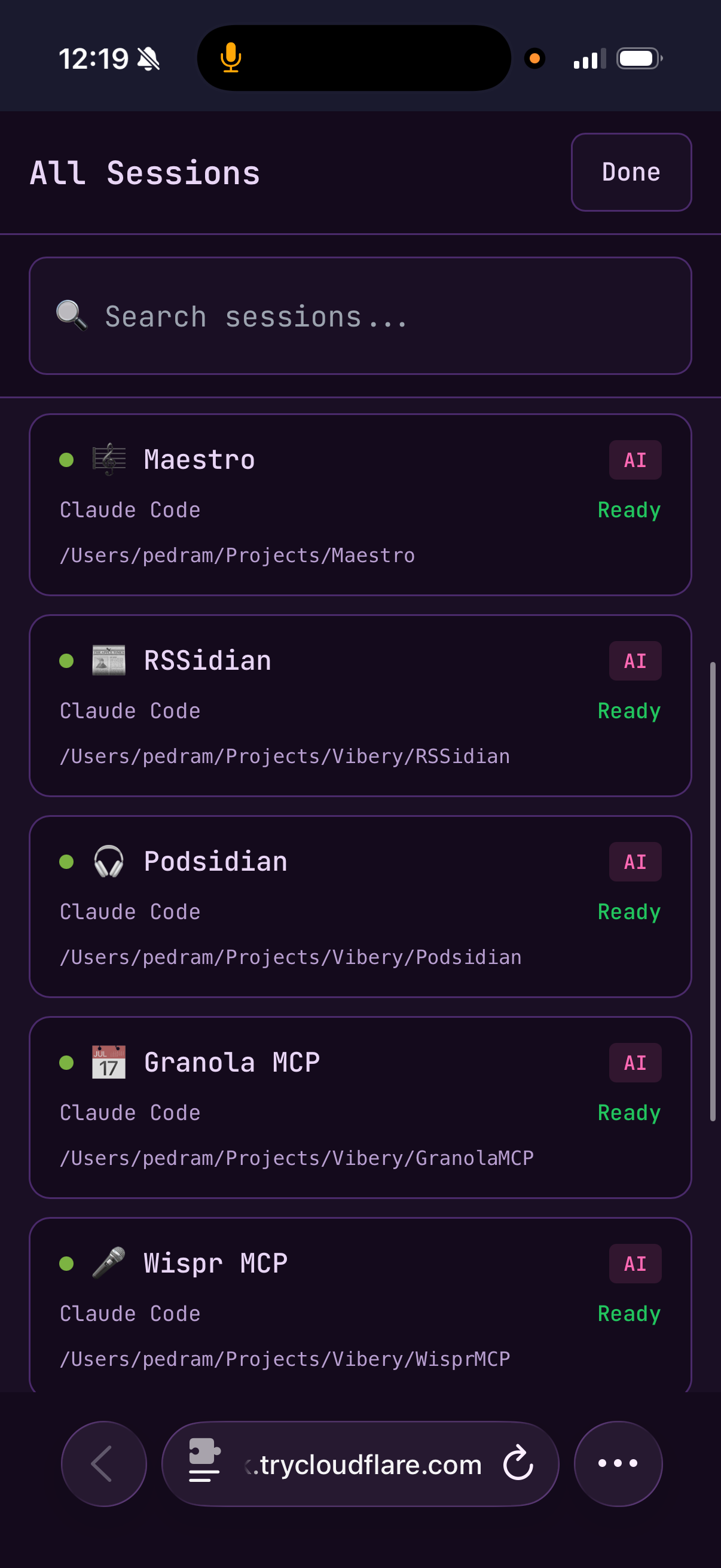
The mobile web interface provides a comprehensive remote control experience:Core Features
- Real-time session monitoring and command input
- Device color scheme preference support (light/dark mode)
- Connection status indicator with automatic reconnection (30-second countdown timer)
- Offline queue for commands typed while disconnected (persisted to localStorage, up to 50 commands)
- Multi-tab support with tab bar and tab search modal
Gestures and Navigation
- Swipe gestures (left/right/up/down) for common actions
- Pull-to-refresh functionality
- Long-press menu for mode switching (AI ↔ Terminal)
Input Features
- Recent command chips for quick access
- Slash command autocomplete
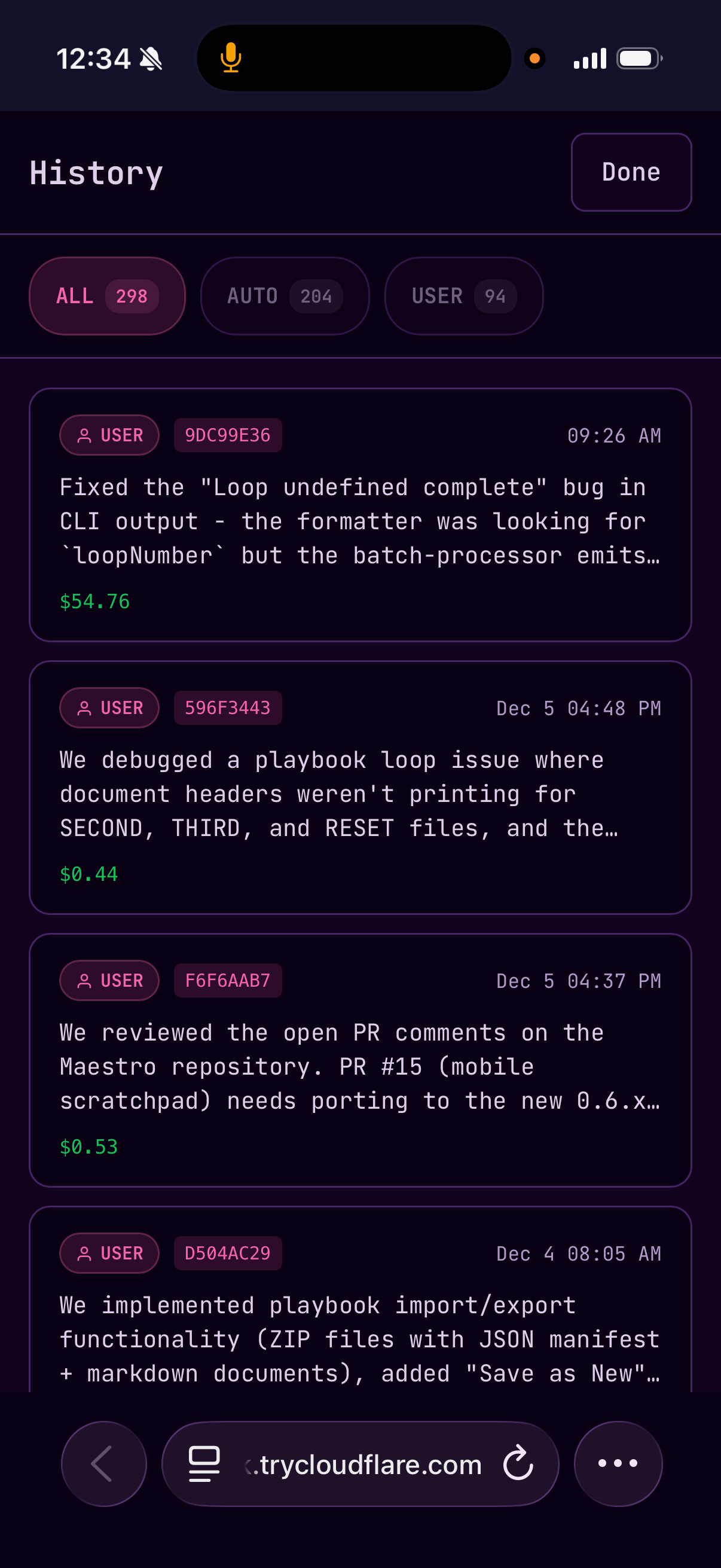
- Command history drawer
Local Access (Same Network)
- Click the OFFLINE button in the Left Bar header to enable the web interface
- The button changes to LIVE (pulsing) and a QR code overlay appears automatically
- Scan the QR code or copy the secure URL to access from your phone on the same network
The web interface uses your local IP address (e.g.,
192.168.x.x) for LAN accessibility. Both devices must be on the same network.Remote Access (Outside Your Network)
To access Maestro from outside your local network (e.g., on mobile data or from another location):- Install cloudflared:
brew install cloudflared(macOS) or download for other platforms - Enable the web interface (OFFLINE → LIVE)
- Toggle Remote Access in the Live overlay panel
- A secure Cloudflare tunnel URL (e.g.,
https://abc123.trycloudflare.com) will be generated within ~30 seconds - Use the Local/Remote pill selector to switch between QR codes
- The tunnel stays active as long as Maestro is running — no time limits, no Cloudflare account required
Custom Port Configuration
By default, Maestro assigns a random port each time the web server starts. This is a security-by-obscurity measure — attackers can’t easily guess which port to target. However, if you need a fixed port (e.g., for firewall rules, reverse proxies, or persistent tunnel configurations), you can enable custom port mode:- Click the LIVE button to open the Live overlay panel
- Toggle Custom Port to enable static port mode
- Enter your desired port number (1–65535)
- The server restarts automatically on the new port
- Punching a hole through a firewall or NAT
- Configuring a reverse proxy (nginx, Caddy)
- Setting up persistent SSH tunnels
- Integration with home automation systems
Connection Handling
The mobile interface includes robust connection management:Automatic Reconnection
- When disconnected, a 30-second countdown timer displays before automatic reconnection
- Manual Retry button available for immediate reconnection
- Reconnection attempts counter shows progress (e.g., “Attempt 3 of 10”)
Offline Mode
- Commands typed while offline are queued (up to 50 commands)
- Queued commands are persisted to localStorage and survive page reloads
- Commands automatically send when connection is restored
- An Offline Queue Banner shows the number of pending commands
Connection Status Indicator
- Displays as a dismissible banner when connection is lost
- Shows different states: Connecting, Authenticating, Disconnected, No internet
- Expandable error details for troubleshooting
Screenshots
Related
- Configuration — General settings including web interface options
- SSH Remote Execution — Running Maestro on remote servers