
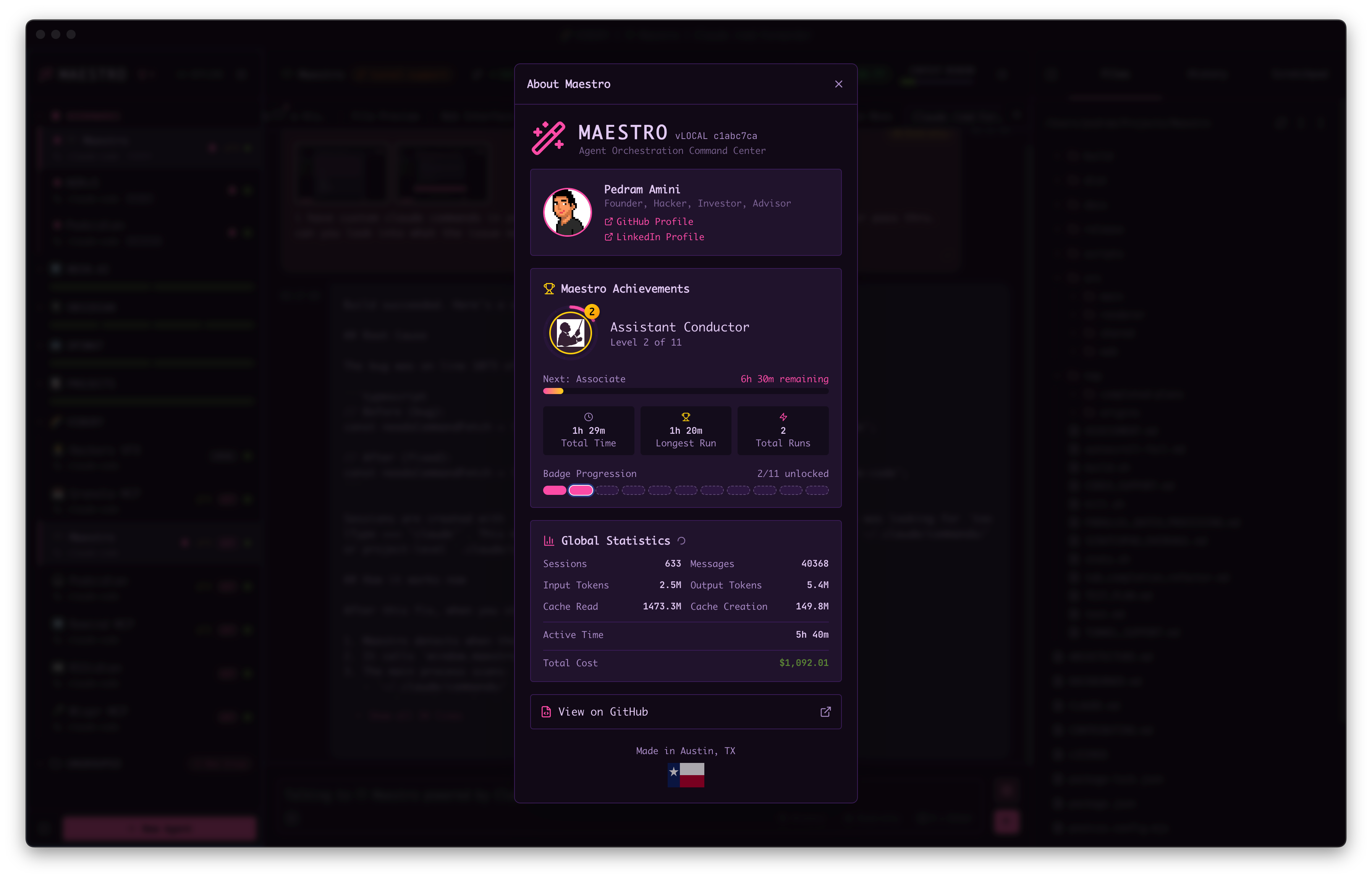
Conductor Ranks
Reaching the Top
Since Auto Runs can execute in parallel across multiple Maestro sessions, achieving Titan of the Baton (Level 11) is technically feasible in less than 10 calendar years. Run 10 agents simultaneously with worktrees and you could theoretically hit that milestone in about a year of real time. But let’s be real - getting to Level 11 is going to take some serious hacking. You’ll need a well-orchestrated fleet of agents running around the clock, carefully crafted playbooks that loop indefinitely, and the infrastructure to keep it all humming. It’s the ultimate test of your Maestro skills. The achievement panel shows your current rank, progress to the next level, and total accumulated time. Each rank includes flavor text and information about a legendary conductor who exemplifies that level of mastery.Sharing Your Achievements
Generate a shareable image of your achievements to celebrate milestones or compare progress with other Maestro users. The share image captures unique statistics not tracked anywhere else in the app.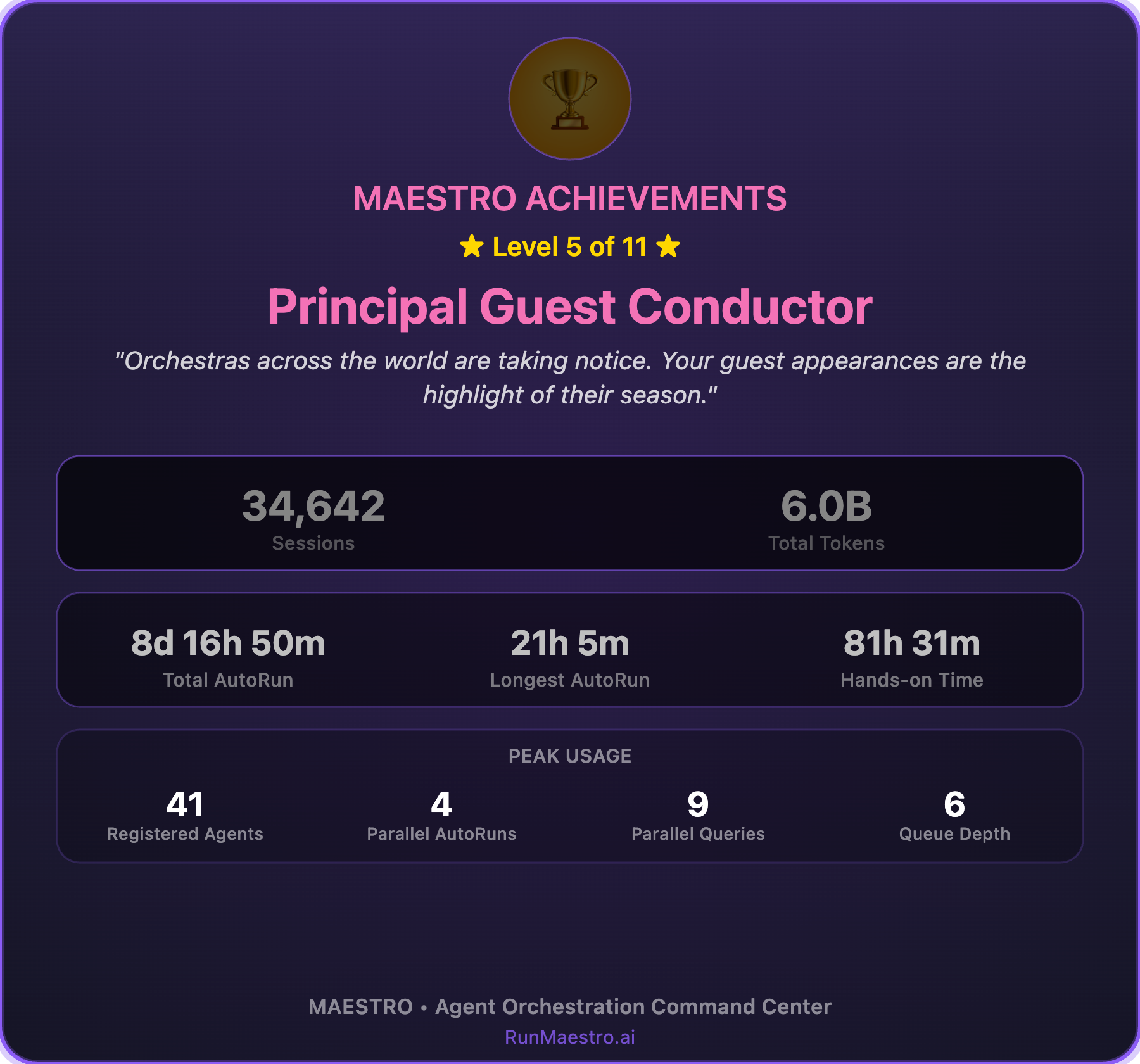
- Open the Achievements panel
- Click Share in the header
- Choose Copy to Clipboard or Save as Image
Stats Captured in Share Images
The share image includes comprehensive usage statistics:
These peak usage stats are tracked automatically and persist across sessions. They represent your high-water marks - evidence of your most intensive Maestro orchestrations.
A peak only ever moves up. Nothing ages it out, prunes it, or recomputes it from your current setup, so a record you set months ago still stands even if you have since slimmed down to a handful of agents. Maestro enforces that when the value is written to disk rather than in the window that observed it, so a second window, or a window that is still starting up, cannot lower a record another one set.
Keyboard Mastery
Separate from Conductor ranks, Maestro tracks your keyboard mastery based on shortcut usage. As you discover and use more keyboard shortcuts, you level up through 5 mastery levels:
Mastery counts only the shortcuts that have a chord bound, so unassigned actions never hold you below 100%.
Your current keyboard mastery level and progress are shown in the Keyboard Shortcuts panel (press
? or Cmd/Ctrl+/ to open). The panel displays which shortcuts you’ve used (marked with a checkmark) and which remain to be discovered. See Keyboard Shortcuts for the full shortcut reference.
Leaderboard
Opt-in to compete with fellow Maestro users on the global Leaderboard at RunMaestro.ai. Sign up to have your stats tracked and compete for top rankings.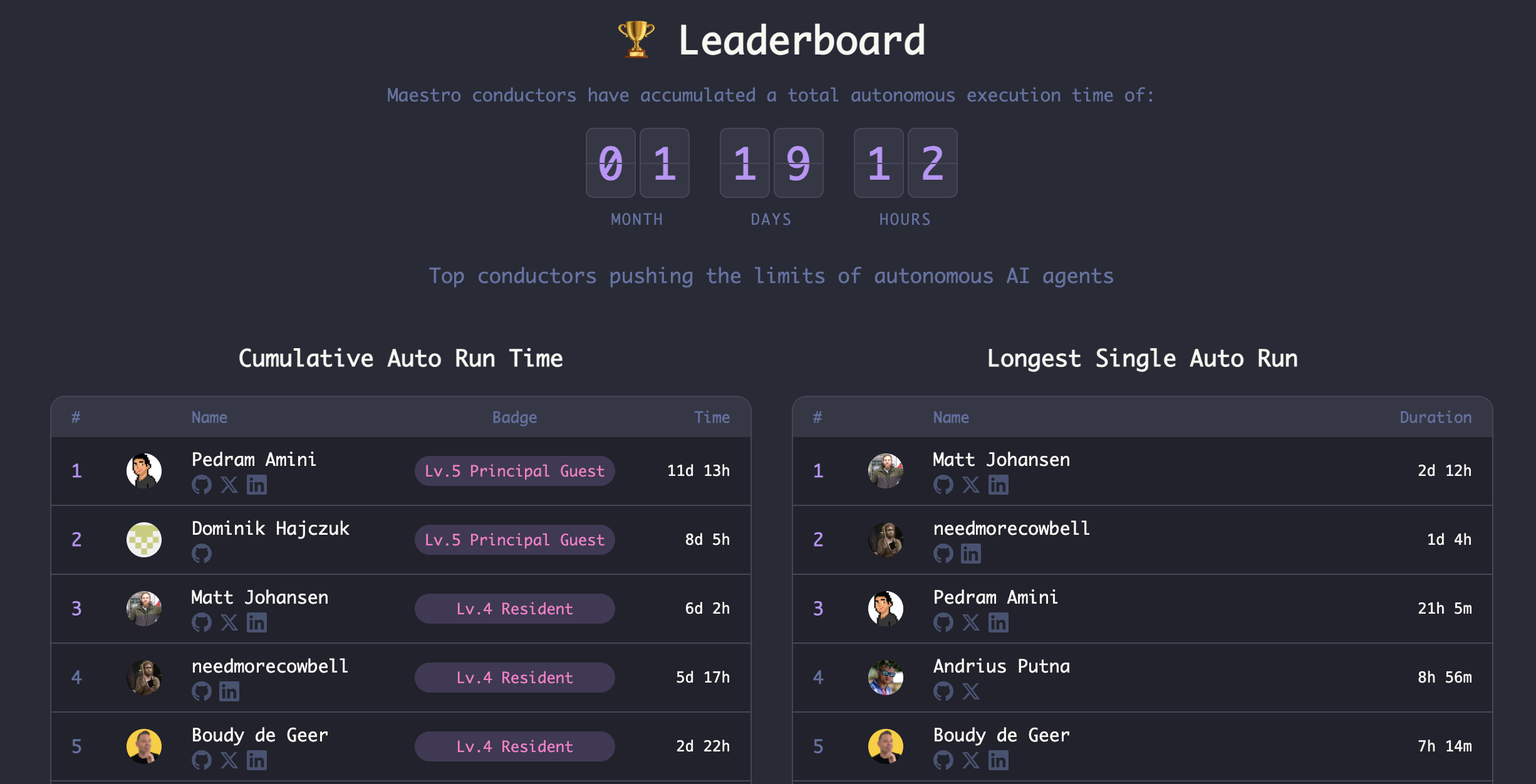
Each entry shows the user’s conductor badge level, social links, and ranking. Your stats sync across devices when you’re signed in, so your achievements follow you wherever you use Maestro.
Your leaderboard avatar is sourced from GitHub. Link your GitHub profile in the registration form, and update your picture on GitHub to change how it appears on the leaderboard.