
Opening the Exchange
Open the Playbook Exchange using:- Quick Actions -
Cmd+K/Ctrl+K→ search “Playbook Exchange” - Auto Run panel - Click the Exchange button (grid icon)
Browsing Playbooks
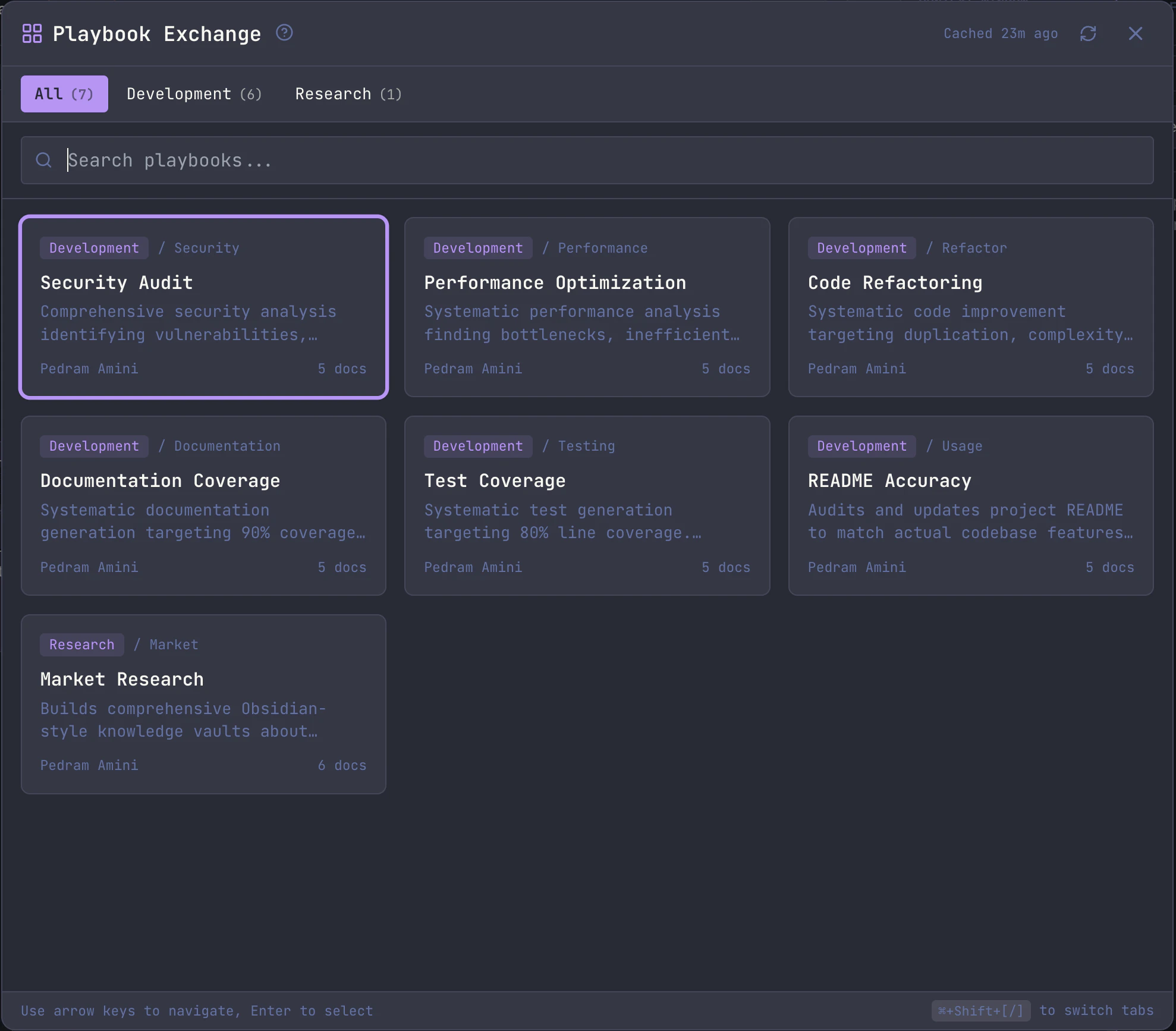
The exchange displays playbooks in a searchable grid organized by category:- Category tabs - Filter playbooks by type (Development, Security, DevOps, etc.)
- Search - Filters by title, description, and tags
- Arrow keys - Navigate between tiles
- Enter - Open the detail view for the selected playbook
Cmd+F/Ctrl+F- Focus the search input
Cmd+Shift+[ / Cmd+Shift+] (Ctrl+Shift+[/] on Windows/Linux) to quickly switch between category tabs.
Playbook Details
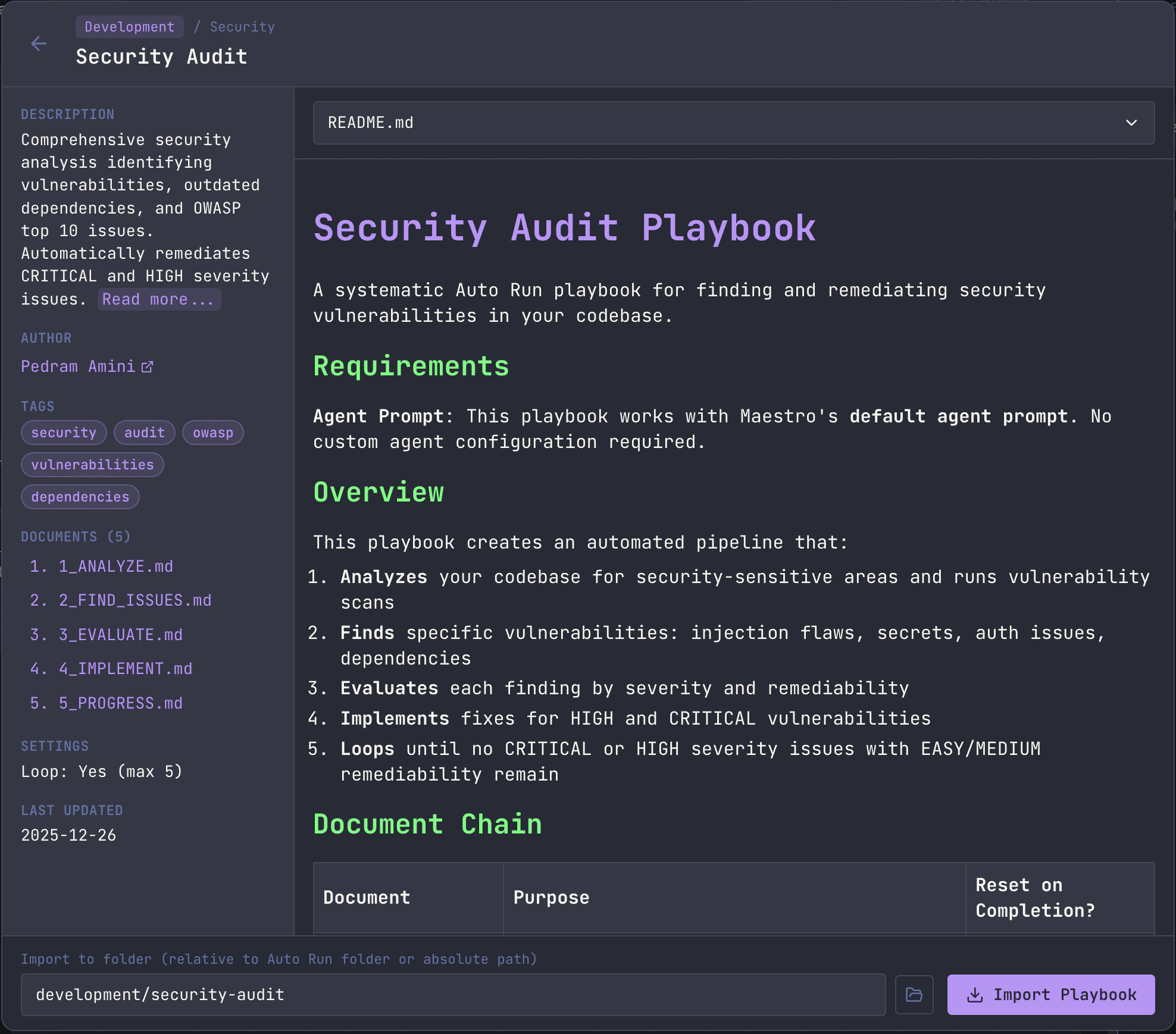
Clicking a playbook tile (or pressingEnter) opens the detail view where you can:
- Read the README - Full documentation for the playbook
- Preview documents - Browse individual task documents before importing; use the dropdown or click document names in the sidebar
- View metadata - Author (with link if available), tags, loop settings, last updated date, and document list
- Set import folder - Customize the target folder name (relative to Auto Run folder or absolute path)
- Browse for folder - Click the folder icon to select a custom location (local sessions only)
Detail View Navigation
Cmd+Shift+[/]- Navigate to previous/next document (wraps around, includes README)Opt+Up/Down- Page up/down in the document previewCmd+Up/Down- Scroll to top/bottom of document previewEsc- Return to the playbook grid
Importing a Playbook
- Open the detail view for a playbook
- Optionally edit the Import to folder field (defaults to
category/titleslug, e.g.,development/code-review) - Click Import Playbook
- A subfolder in your Auto Run folder with the playbook name
- All markdown task documents copied to that folder
- An
assets/subfolder with any supporting files (configs, scripts, templates) if the playbook includes them - A saved playbook configuration with loop settings and document order
Use One as Reference
A playbook does not have to be run as-is. Importing one pulls it down locally, so you can also treat it as reference material: tell your agent what you actually want, point it at the imported document, and let it adapt the structure to your project. Customize it to your desire.For SSH remote sessions, playbooks can be imported directly to the remote host. The folder browse button is disabled for remote sessions - enter the target path manually instead.
Exchange Data
Playbooks are fetched from the Maestro-Playbooks GitHub repository. The manifest is cached locally for 6 hours to minimize API calls.- Cache indicator - Shows whether data is from cache and how old it is (e.g., “Cached 2h ago” or “Live”)
- Refresh button - Forces a fresh fetch from GitHub, bypassing the cache
Contributing Playbooks
Want to share your playbooks with the community? You can contribute in two ways:- From the Exchange - Click the “Submit Playbook via GitHub” link in the header
- Directly on GitHub - Submit a pull request to the Maestro-Playbooks repository