
Prerequisites
Before starting a Symphony contribution, ensure you have:How It Works
For Contributors
- Browse available projects directly within Maestro
- Select a GitHub issue that matches your interests
- Create a dedicated agent session - choose your AI provider and model
- Single-click contribution - Maestro clones the repo, runs Auto Run docs, and creates a PR
For Repository Owners
- Define contribution opportunities as Auto Run documents in your repository
- Open a GitHub issue listing the document paths
- Add the
runmaestro.ailabel to make it visible to the Maestro community - Optionally add the
blockinglabel to issues with unmet prerequisites (creates dependency trees) - Receive quality pull requests generated by AI-assisted workflows
Opening Symphony
Browsing Projects
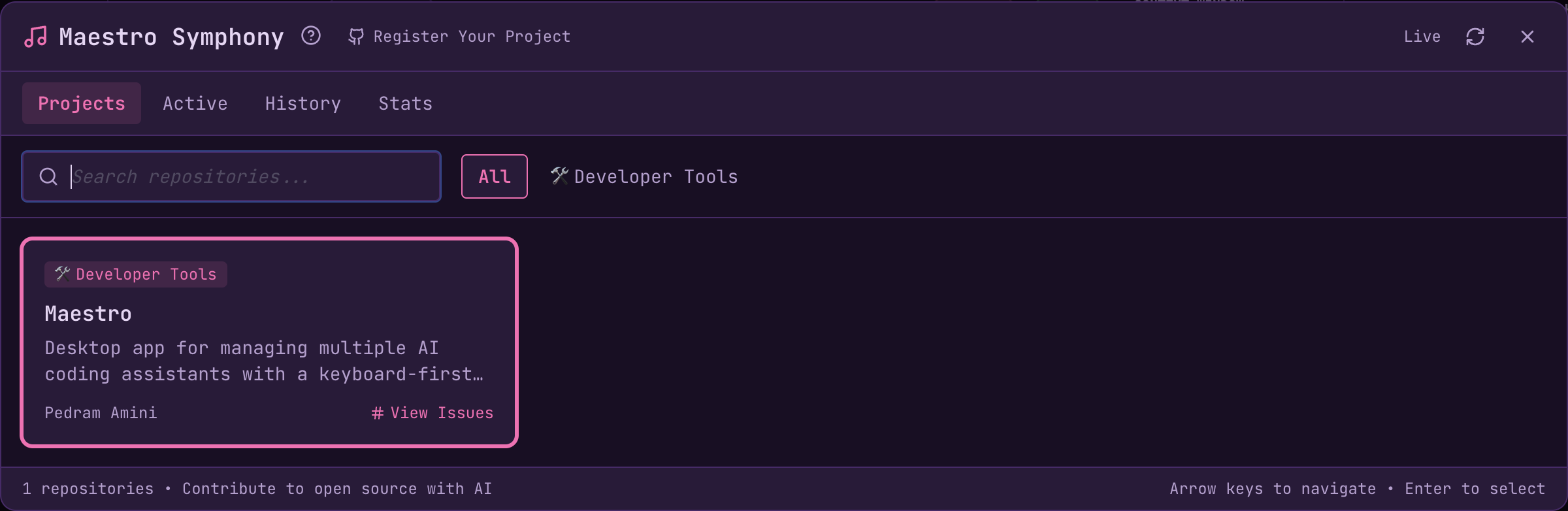
The Symphony modal has four tabs: Projects, Active, History, and Stats.Projects Tab
The Projects tab shows registered open source projects in a tiled grid:- Category filters - Filter by AI/ML, Developer Tools, etc.
- Search - Find projects by name, description, or tags
- Project tiles - Click to view available issues
- Keyboard navigation - Use arrow keys to navigate, Enter to select,
/to focus search

- Issue title and number
- Number of Auto Run documents to process
- Document previews with a dropdown selector (use
Cmd+Shift+[/Cmd+Shift+]to cycle documents) - Status indicator (available, in-progress with PR link, or blocked)
Blocked Issues
Issues with theblocking label appear in a separate “Blocked” section, grayed out with a lock icon. These represent work that has unmet prerequisites - the repository maintainer will remove the blocking label once dependencies are satisfied. Blocked issues cannot be started but are shown so contributors can see the full scope of planned work.
Starting a Contribution
Click Start Symphony on an available issue to open the agent creation dialog: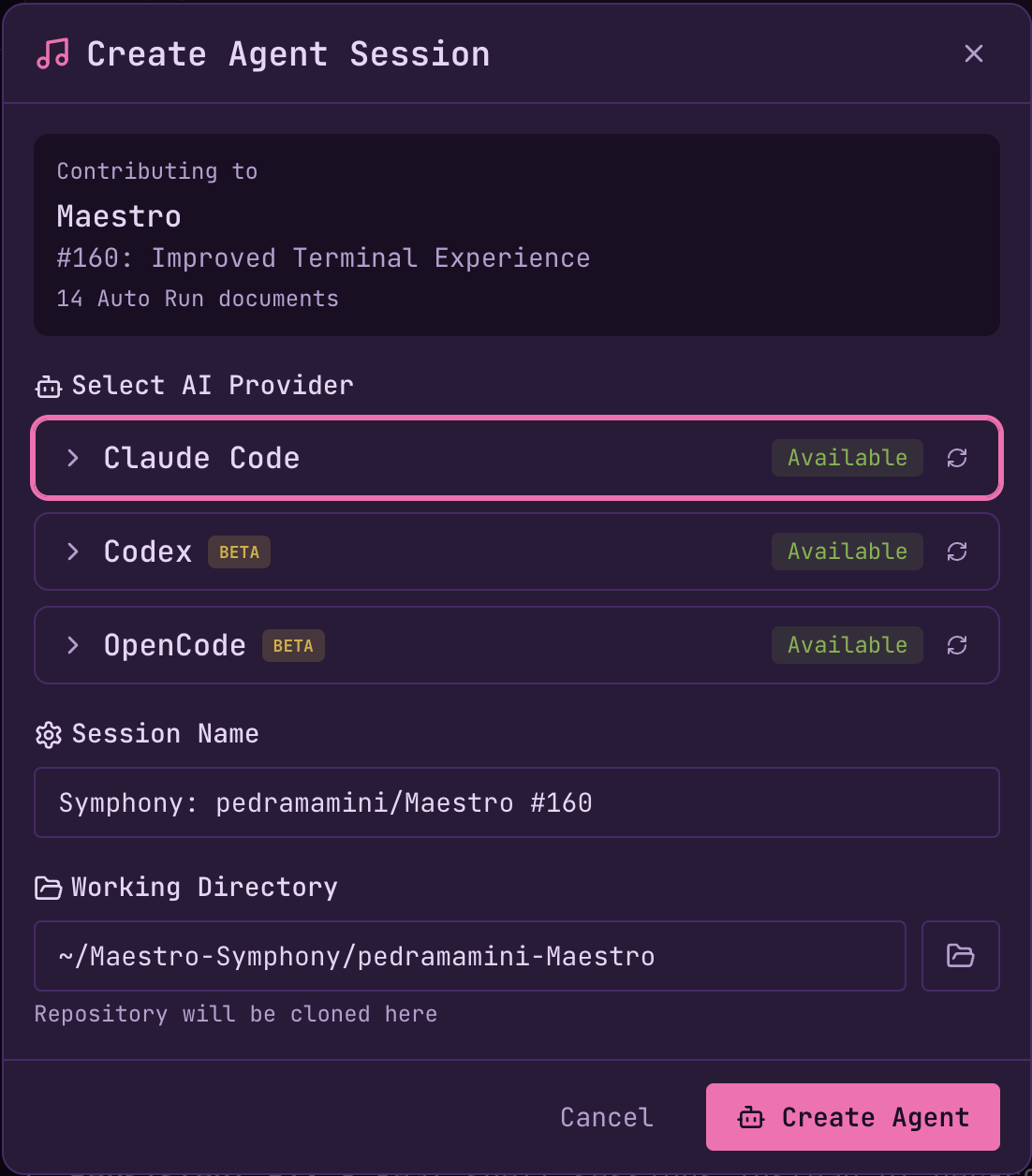
- AI Provider - Choose Claude Code, Codex, OpenCode, etc.
- Session Name - Pre-filled as “Symphony: owner/repo #123”
- Working Directory - Where the repository will be cloned
- Clone the repository to
~/Maestro-Symphony/{owner}-{repo}/(default location, customizable) - Create a new branch (
symphony/{issue-number}-{short-id}) - Set up Auto Run documents (external attachments downloaded to cache, repo docs referenced in place)
- Begin processing tasks automatically
- Create a draft PR on first commit (claims the issue so others know it’s in progress)
Tracking Contributions
Active Tab
View your in-progress Symphony sessions:
- Issue title and repository - The GitHub issue being worked on
- Status badge - Running, Paused, Creating PR, etc.
- Progress bar - Documents completed vs. total
- Current document - The document being processed
- Time elapsed - How long the contribution has been running
- Token usage - Input/output tokens and estimated cost
- Draft PR link - Once created on first commit
- Controls - Pause/Resume, Cancel, Finalize PR
History Tab
Review completed contributions with aggregate stats at a glance: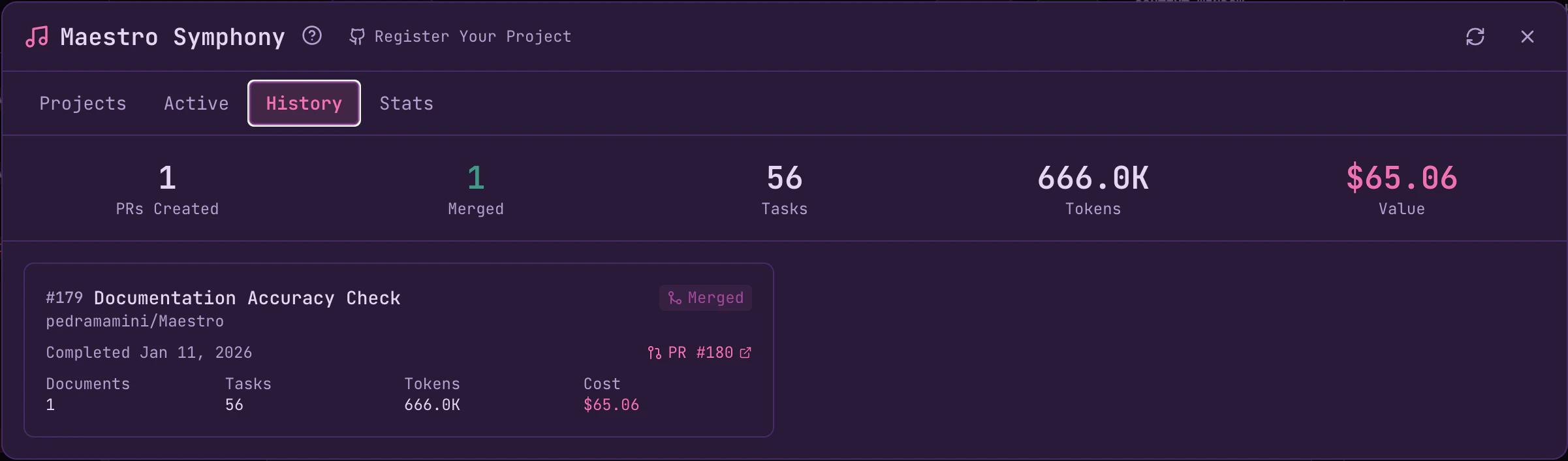
- Issue and repository - What you worked on
- Merge status - Whether the PR was merged
- Completion date - When you finished
- PR link - Direct link to the pull request
- Detailed metrics - Documents processed, tasks completed, tokens used, and cost
Stats Tab
Track your overall impact and unlock achievements: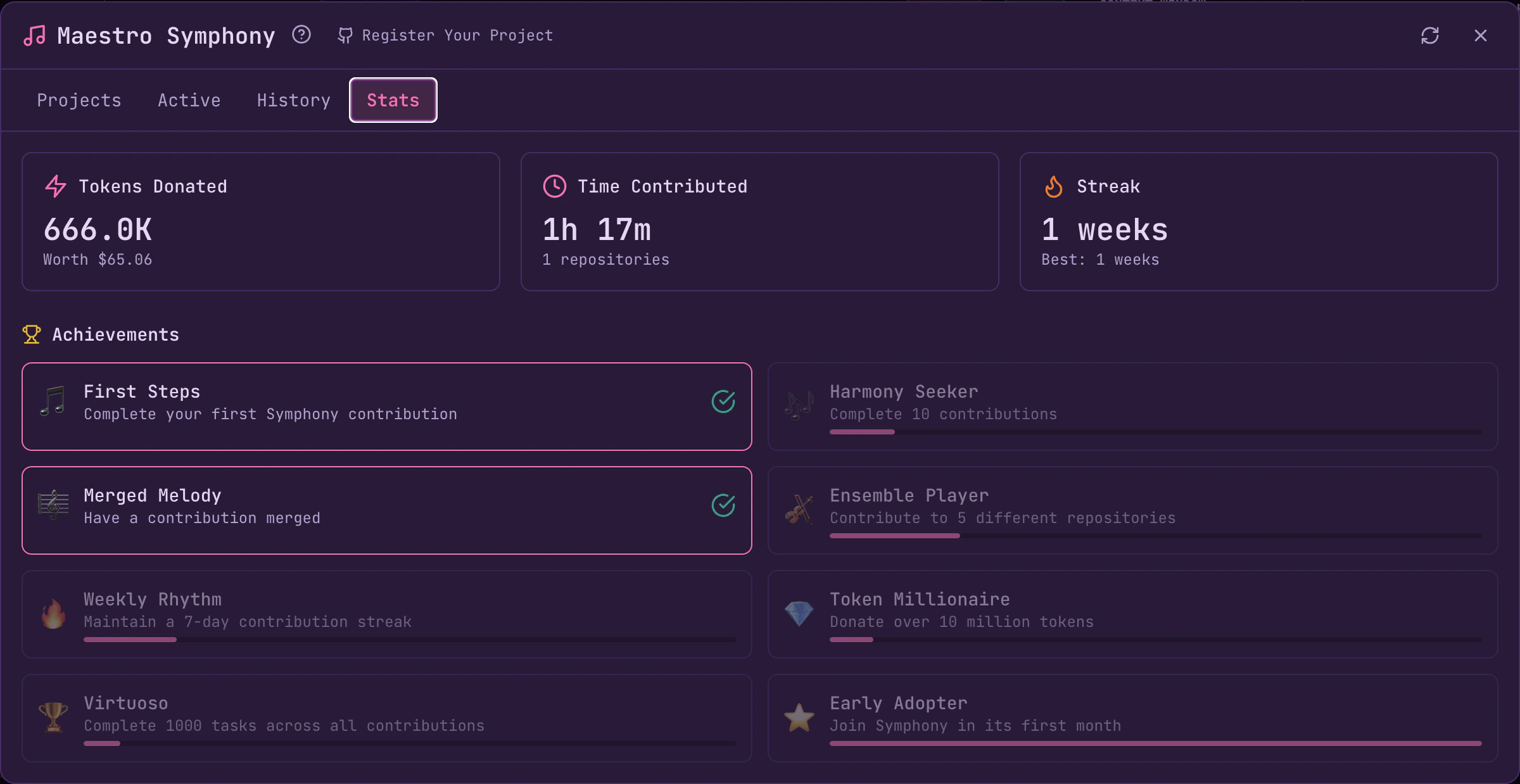
- Tokens Donated - Total tokens contributed with dollar value
- Time Contributed - Hours spent and repositories helped
- Streak - Current and best contribution streaks
Session Integration
Symphony sessions appear in the Left Bar like any other session:- Named “Symphony: owner/repo #123”
- Optionally grouped under a “Symphony” group
- Full access to AI Terminal, Command Terminal, and Auto Run controls
Creating Symphony-Ready Issues
Repository owners create issues with therunmaestro.ai label:
Task Claiming
Symphony uses deferred PR creation to avoid GitHub’s “no commits between branches” error. When you start a contribution, Maestro sets up the branch and documents but waits until the first commit to create the draft PR:- Start contribution → Branch created locally, Auto Run begins processing
- First commit → Draft PR automatically created, claims the issue
- Subsequent commits → Push to the same PR
- No draft PR → Task is available
- Draft PR exists → Task is in progress (first to commit wins)
Registering Your Project
To add your open source project to Symphony:- Fork the Maestro repository
- Add your project to
symphony-registry.jsonin the root directory - Submit a pull request to the main Maestro repository
Available Categories
Once merged, your project will appear in the Symphony Projects tab (registry cached for 2 hours, issues cached for 5 minutes).
Available Issues
Browse Symphony-ready issues on Maestro itself:Maestro Symphony Issues
View all issues labeled
runmaestro.ai - ready for AI-assisted contributionMaestro Symphony - Advancing open source, together.